
You know what service you want to offer. You’ve figured out what to charge, who you want to work with, and maybe even packaged everything into a few different options.
Now comes the part that trips up a lot of new business owners: explaining what you actually do on your website.
A service page needs to do more than list your services and prices. It should help potential clients understand what you offer, recognize why they might need it, and feel confident taking the next step.
The good news is that you don’t need to be a professional copywriter to put together a service page that works. You need a clear message, a little structure, and an understanding of what your potential clients want to know before they hire you.
I’ll walk you through what to include, how to describe your packages, and how to use AI tools like ChatGPT to help write your page. You’ll also find a simple service page template and a completed example you can adapt for your own business.
What Is a Service Page?
A service page is a dedicated page on your website that explains what you offer, who it’s for, what’s included, and how someone can hire you.
Think of it as your online sales conversation. Instead of having to explain your services individually to every person who visits your website, the page answers the questions they’re likely to have before contacting you.
A good service page should answer five basic questions:
- What service do you provide?
- Who is it for?
- What problem does it solve?
- What’s included, and how much does it cost?
- What should someone do if they’re interested?
If a visitor has to work too hard to find those answers, there’s a good chance they’ll leave without contacting you.
Before writing your page, make sure you’ve already defined your service and packages. If you’re still trying to figure out exactly what to sell, start with my guide to how to productize a service.
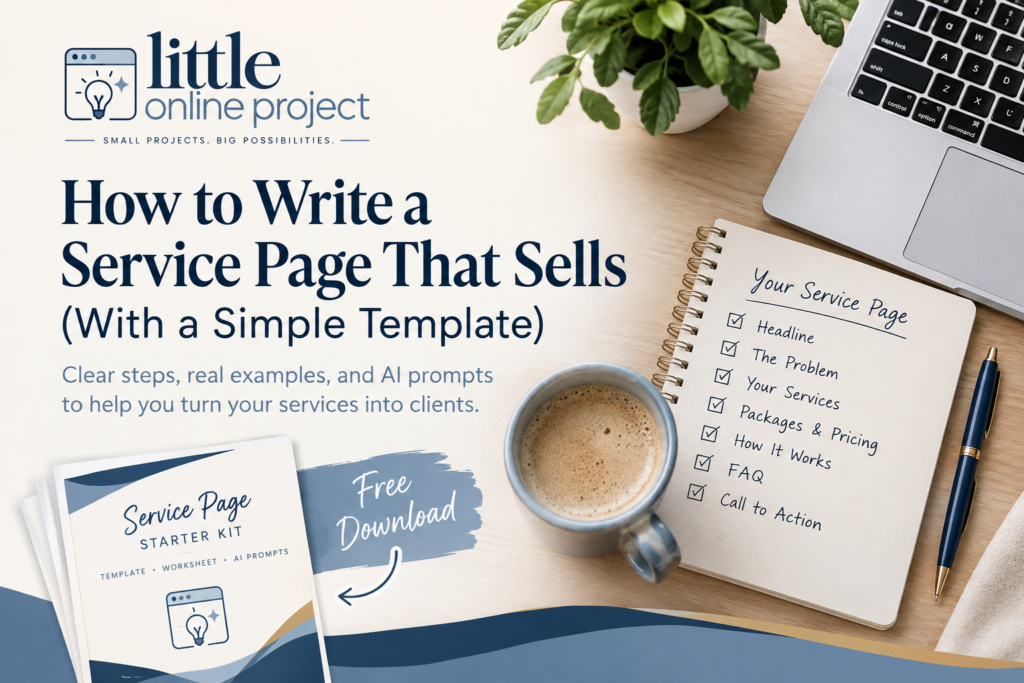
7 Elements Every Service Page Should Include
You don’t need an elaborate sales page with dozens of sections. For most freelancers and small service businesses, a straightforward page with the following elements is enough.
1. A Headline That Explains What You Do
Your headline is one of the first things visitors see. It should immediately tell them what you offer and, ideally, who you help.
Avoid vague headlines like:
- Let’s Work Together!
- How Can I Help You?
- Your Success Starts Here
These might sound friendly, but they don’t tell visitors anything about your services.
Instead, be specific.
For example:
Virtual Administrative Support for Busy Small Business Owners
Or:
Monthly Website Maintenance Packages for Service-Based Businesses
Or:
Bookkeeping Services That Give Small Business Owners More Time to Focus on Work
Notice that each headline identifies the service and the intended audience.
You can follow your headline with a short supporting sentence that explains the benefit.
For example:
“Get dependable administrative support without the expense of hiring a full-time employee. Choose a support package that fits your workload and your budget.”
The goal is to help the right person recognize that they’re in the right place.
2. Explain the Problem Your Service Solves
People aren’t necessarily looking to buy a service. They’re looking for a solution to something that’s frustrating, time-consuming, or keeping them from doing other things.
Your next section should demonstrate that you understand what they’re dealing with.
For example, a virtual assistant might write:
“Are you spending more time answering emails, organizing appointments, and updating spreadsheets than actually running your business? Administrative tasks have a way of taking over your day. My virtual assistant services help small business owners get those responsibilities off their plate so they can focus on the work that generates revenue.”
This works because it describes a situation the potential client can recognize.
You don’t need a long explanation here. A few sentences that demonstrate an understanding of your audience are usually enough.
3. Describe Exactly What’s Included
This is where you explain what clients actually receive when they hire you.
Be specific. Listing general services like administrative support, consulting, or website management doesn’t give someone enough information to understand what they’re purchasing.
Instead of:
- Administrative support
- Email management
- Scheduling
- Data entry
Try:
- Organizing and responding to routine business emails based on your instructions.
- Scheduling appointments and managing your online calendar.
- Updating customer records and maintaining spreadsheets.
- Preparing documents, reports, and other administrative materials.
Specific descriptions help potential clients visualize what working with you would look like.
They also help establish boundaries. If a service isn’t included in your package, don’t leave potential clients guessing.
4. Present Your Packages and Pricing
If you’ve productized your services, this is where your packages take center stage.
Rather than asking someone to contact you for a custom quote, give them enough information to compare their options.
For each package, include:
- Package name
- Price
- What’s included
- Who the package is best suited for
- Any limitations or important details
- A clear next step
For example:
Basic Support – $250/month
For business owners who need occasional administrative assistance.
Includes:
- Up to 5 hours of administrative support monthly.
- Email and calendar organization.
- Basic document preparation.
- Monthly task summary.
Business Support – $500/month
For business owners who need consistent help managing everyday administrative responsibilities.
Includes:
- Up to 10 hours of administrative support monthly.
- Email and calendar management.
- Spreadsheet and document updates.
- Customer follow-up assistance.
- Priority scheduling.
Ongoing Support – $900/month
For business owners who need more comprehensive administrative assistance.
Includes:
- Up to 20 hours of administrative support monthly.
- All Business Support services.
- Recurring administrative workflows.
- Additional project coordination.
- Priority scheduling.
These are illustrative packages, not recommended market rates. Your pricing should reflect your experience, costs, service scope, and the type of clients you want to attract.
One thing I recommend: Don’t make potential clients guess which package is right for them.
A short description such as “Best for established businesses with recurring administrative needs” can make the decision much easier.
If you don’t want to publish exact prices, you can provide starting prices or explain that pricing depends on project scope. Just make sure visitors have a reasonable idea of what to expect.
5. Explain How Working With You Works
People want to know what happens after they click your contact button.
A simple three-step explanation removes some of the uncertainty.
For example:
Step 1: Choose Your Package
Review the available options and select the level of support that fits your needs.
Step 2: Complete the Getting Started Process
We’ll discuss your priorities, access requirements, and the details needed to begin working together.
Step 3: Get the Support You Need
Once everything is in place, I’ll begin handling the agreed-upon tasks and providing ongoing support.
This section is particularly useful for service businesses where the client may not understand the process.
You don’t need to explain every administrative detail. Just give them a general idea of what happens next.
6. Answer Common Questions
Your FAQ section is an opportunity to address concerns that might prevent someone from contacting you.
Think about the questions people typically ask before hiring you.
Depending on your business, these might include:
- Do you require a contract?
- How do payments work?
- Can I upgrade my package later?
- What happens if I need additional services?
- Do you offer one-time projects?
- How quickly can we get started?
- What happens if I don’t use all my allotted hours?
Answer these questions directly.
Don’t use your FAQ section to introduce another long sales pitch. The purpose is to remove uncertainty and help someone make an informed decision.
You can also use ChatGPT to brainstorm questions you may have overlooked. I’ll show you how to do that below.
7. Include a Clear Call to Action
Every service page needs a next step.
Don’t assume visitors will automatically know what to do after reading your page.
Use a clear call to action (CTA) that tells them exactly how to proceed.
Examples include:
- Ready to Get Started? Choose Your Package.
- Let’s Talk About Your Project.
- Schedule a Free Consultation.
- Have Questions? Send Me a Message.
- Get Started With Monthly Support.
Your CTA should lead somewhere useful, such as a contact form, booking calendar, inquiry form, or checkout page.
If your packages can be purchased directly, make the purchase process as simple as possible.
If you need to speak with potential clients first, give them an easy way to schedule a conversation.
How to Use ChatGPT to Help Write Your Service Page
You don’t have to start with a blank document and figure out every sentence yourself.
AI tools like ChatGPT can help you organize your ideas, identify what potential clients need to know, and develop a first draft.
The trick is to give the tool enough information to work with. If you simply type “Write a service page for my virtual assistant business,” you’ll probably get a generic page that could belong to just about anyone.
Instead, work through the following steps.
Step 1: Give ChatGPT Information About Your Business
Start by explaining what you offer, who you serve, and what makes your service useful.
You don’t need to have everything perfectly written. A simple list of notes is enough.
Try this prompt:
ChatGPT Prompt: Define My Service Page Messaging
“I’m creating a service page for my business. Help me organize the information before writing the page.
Here is what you need to know:
- Business name: [Business name]
- Service offered: [Describe your service]
- Ideal client: [Who you want to work with]
- Problem I solve: [What problem does your service address?]
- My experience: [Relevant experience, skills, or qualifications]
- What makes my service different: [Your approach or advantages]
- Packages offered: [List your packages and what’s included]
- Pricing: [Your prices or pricing structure]
Based on this information, help me identify the strongest selling points, the problems my service solves, and the questions potential clients are likely to have.
Don’t write the service page yet. First, help me clarify the messaging.”
This gives you a foundation to work from instead of jumping straight into copywriting.
Step 2: Develop Your Headline and Main Message
Once you’ve clarified your messaging, ask ChatGPT to develop several headline options.
Try:
“Based on the information I provided, write 10 headline and supporting statement combinations for my service page.
Make them clear, specific, and conversational. Focus on the service I provide and the benefits to my ideal client.
Avoid exaggerated marketing language, generic business phrases, and claims I haven’t supported.”
Choose the option that sounds most like something you would actually say to a potential client.
You can ask ChatGPT to refine it, but don’t automatically choose the cleverest headline. Clarity usually wins.
Step 3: Draft Your Package Descriptions
This is one of the most useful ways to incorporate AI into your service page.
Sometimes you know exactly what you do, but explaining it in a way that makes sense to someone outside your industry is harder.
Give ChatGPT your package details and ask it to translate your list of services into client-friendly descriptions.
Try this prompt:
“Help me write descriptions for the following service packages.
For each package, include:
- A short description of who it’s best for.
- A clear explanation of what the client receives.
- The main benefit of choosing this package.
Keep the descriptions specific and easy to understand. Don’t add services, guarantees, or benefits that aren’t supported by the information I provide.
Make each package sound distinct so potential clients can understand the difference between the options.”
Review the results carefully. AI can make a service sound more impressive by adding things you never intended to include. Make sure every deliverable and promise accurately reflects what you actually provide.
Step 4: Generate Your FAQ Section
Ask ChatGPT to think like someone considering hiring you.
For example:
“Act as a potential customer considering hiring my business. Based on my services and packages, identify 10 questions or concerns you might have before purchasing.
Include questions about pricing, expectations, timelines, communication, what’s included, and the hiring process.
Prioritize questions that might prevent someone from moving forward.”
You can then answer those questions in your own words and have ChatGPT help organize and polish the responses.
Step 5: Put Everything Together
Once you have your headline, service descriptions, packages, and FAQs, you can ask ChatGPT to assemble the content into a complete service page.
Use this prompt:
“Using the information we’ve developed, create a complete service page for my website.
Organize the page using these sections:
- Headline and supporting statement.
- Introduction that identifies the problem my service solves.
- Description of my services.
- Package descriptions and pricing.
- How the process works.
- Frequently asked questions.
- Final call to action.
Write in a natural, conversational voice. Use clear headings and short paragraphs. Avoid generic marketing language, exaggerated claims, repetitive phrases, and unnecessary filler.
Do not invent qualifications, testimonials, results, or services.
The goal is to help potential clients understand what I offer and feel comfortable taking the next step.”
My advice: Treat the AI-generated copy as a starting point, not finished website content.
Read it out loud. Replace phrases you wouldn’t normally use. Add details that reflect your actual experience and explain how you work with clients.
AI is good at organizing information and giving you a place to start. Your experience and judgment are what make the page credible.
Need Help Building Your Virtual Assistant Business?
Writing a service page is one piece of building a successful virtual assistant business. If you’re still working on defining your services, developing your skills, or figuring out how to find clients, there are training resources that can help. Virtual Savvy offers training and resources for aspiring and established virtual assistants who want to build and grow their businesses. Another option is Booked VA, which focuses on helping virtual assistants develop the skills and strategies needed to attract clients and build a more sustainable business. Both are worth exploring if you’d like some additional guidance as you turn your skills into a service-based business.
A Simple Service Page Template You Can Copy
If you want to skip the individual steps, use this basic framework to organize your page.
SECTION 1: HEADLINE
[Describe your service and who you help.]
Supporting statement: [Explain the primary benefit of working with you.]
SECTION 2: THE PROBLEM
Are you struggling with [describe a problem your ideal client experiences]?
I help [type of client] by providing [service] so you can [desired outcome].
SECTION 3: WHAT I OFFER
My services include:
- [Service or deliverable 1]
- [Service or deliverable 2]
- [Service or deliverable 3]
- [Service or deliverable 4]
SECTION 4: CHOOSE YOUR PACKAGE
Package 1: [Name]
Price: [Price]
Best for: [Describe the ideal client.]
Includes:
- [Deliverable]
- [Deliverable]
- [Deliverable]
CTA: [Choose This Package]
Repeat for additional packages.
SECTION 5: HOW IT WORKS
- [First step]
- [Second step]
- [Third step]
SECTION 6: FREQUENTLY ASKED QUESTIONS
Q: [Common question]
A: [Your answer]
Q: [Common question]
A: [Your answer]
Q: [Common question]
A: [Your answer]
SECTION 7: FINAL CALL TO ACTION
Ready to [desired outcome]?
[Explain the next step and provide a link to your contact form, booking calendar, or checkout page.]
You can copy this framework into a Word document or Google Doc and fill in each section before moving the content to your website.
Example: What a Completed Service Page Might Look Like
Let’s put the framework into practice using a fictional virtual assistant business.
Imagine you’re offering monthly administrative support to small business owners.
Here’s how the page could come together.
Virtual Assistant Services for Small Business Owners
Spend less time managing administrative tasks and more time running your business.
Running a small business means wearing a lot of hats. Between managing emails, scheduling appointments, updating records, and keeping everything organized, it’s easy to lose hours every week to administrative work.
I provide dependable virtual assistant support to help small business owners stay organized and keep everyday tasks moving without hiring a full-time employee.
Administrative Services That Make Your Workday Easier
I can help with:
- Email organization and routine correspondence.
- Calendar and appointment management.
- Data entry and spreadsheet updates.
- Document preparation.
- Customer follow-up and administrative support.
Choose the Support Package That Fits Your Business
Essential Support – $250/month
For business owners who need a little help staying organized.
Includes up to 5 hours of administrative assistance each month.
Business Support – $500/month
For business owners who need consistent help managing everyday tasks.
Includes up to 10 hours of administrative assistance each month.
Complete Support – $900/month
For business owners who need more comprehensive administrative help.
Includes up to 20 hours of administrative assistance each month.
Getting Started Is Simple
- Choose the package that fits your needs.
- Complete the onboarding form so I understand your priorities.
- We’ll establish your workflow and get started.
Frequently Asked Questions
Can I purchase additional hours?
Yes. Additional support can be arranged based on availability and your needs.
Do I need to sign a contract?
Monthly support is provided under a service agreement outlining the scope of work, payment terms, and expectations.
Can I change packages later?
Yes. You can discuss changing your package if your administrative needs increase or decrease.
Ready to Get Some Time Back?
Let’s talk about how virtual assistant support can make running your business easier.
[Contact Me to Get Started]
This is a simplified example. A real service page should include your actual scope of work, payment terms, package limits, and any relevant onboarding details.
A Few Service Page Mistakes to Avoid
Before publishing, take a few minutes to review your page for these common problems.
Making the page all about you. Your experience and qualifications matter, but potential clients primarily want to know how you can help them. Lead with their needs, then establish your credibility.
Using vague package descriptions. “Administrative support” isn’t enough information. Explain what tasks you’ll handle and what the client can expect to receive.
Hiding your pricing. If you offer standardized packages, consider displaying your prices. This helps qualify potential clients and saves you from answering inquiries from people whose budgets don’t align with your services.
Making promises you can’t keep. Don’t guarantee results, response times, or turnaround times unless you can consistently deliver them.
Forgetting the call to action. A visitor shouldn’t have to search your website to figure out how to hire you.
Publishing AI-generated copy without reviewing it. AI can produce polished-sounding language that doesn’t accurately describe your business. Check every claim, package detail, and promise before publishing.
Where Your Service Page Fits Into Your Website
Once your copy is ready, you’ll need somewhere to put it.
Your service page doesn’t have to be complicated. A simple, easy-to-navigate website is often enough for a freelancer or small service business.
If you’re still putting together your online presence, see my guide to creating a one-page website and brochure. It walks through how to organize your website and present your business professionally without building a large, complicated site.
You can also use a service page as the foundation for other marketing materials. The same descriptions and package details can be adapted for:
- Your business brochure.
- Proposals and client presentations.
- Email responses to potential clients.
- Your online business directory listings.
- A PDF outlining your services and pricing.
This is another reason to spend time getting the messaging right. Once you’ve written a clear description of your services, you can reuse and adapt it instead of starting from scratch every time someone asks what you do.
Need an Easy Way to Build Your Website?
If you don’t have a website yet, or the thought of building one feels like another project on your to-do list, take a look at GoDaddy Airo. It’s an AI-powered website creation tool designed to help small business owners get a website started without having to build everything from scratch. You can use it to establish your online presence, introduce your services, and give potential clients a place to learn about your packages and contact you. It’s worth exploring if you want a relatively simple way to get your business online without spending weeks figuring out website design and setup. Once your basic site is in place, you can add and refine your service page as your business grows.
Your Next Step: Get Your Service Page Written
You don’t need perfect copywriting skills or an expensive website to start selling your services online.
You need to clearly explain what you offer, who you help, what clients receive, and how they can work with you.
Start by filling in the template above. If you’re having trouble putting your ideas into words, use ChatGPT to help organize your thoughts and develop a first draft.
Then make it your own.
A service page isn’t something you write once and never touch again. As you gain experience, refine your packages, and learn more about what clients actually need, you can update the page to reflect your business.
The goal isn’t to create the fanciest sales page on the internet. It’s to make it easy for the right person to understand what you do and take the next step.
